
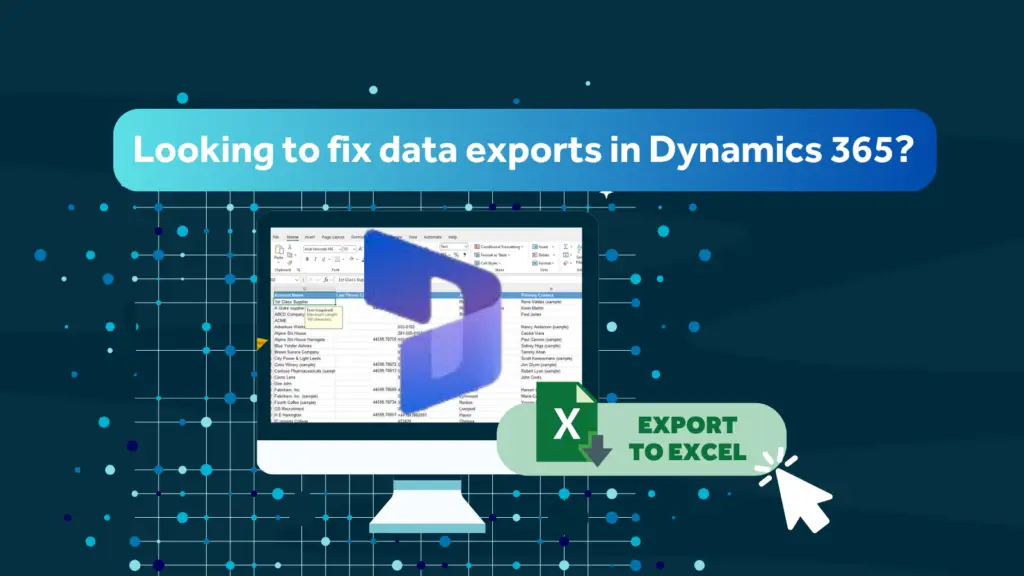
If you’re seeking a quick fix for Dynamics 365 data exports, you likely face the same issue as most organisations. The export option is way too blunt.
You can allow users to export data to Excel or disable the feature entirely. This creates familiar tension between data protection and team productivity. Because in reality, neither option feels quite right.
The Problem with “On or Off” Export Settings
On the surface, the Dynamics 365 export setting looks straightforward. It gives you a clear choice, which is often what systems are designed to do. But when you apply that choice to real-world usage, things quickly become more complicated.
If you leave export enabled, data can leave your CRM freely, including sensitive or commercially important information. If you disable it, you restrict access, which can slow your teams down and create frustration.
For IT and CRM decision makers, this isn’t just a technical setting. It’s a trade-off between risk and usability, and neither side of that trade-off is particularly comfortable.
Why Switching Exports Off Isn’t a Real Fix
At first glance, turning off Excel export feels like the safest option. If data can’t leave the system, then it can’t be misused. But in all honesty, it rarely works that cleanly.
Your teams still need access to data. They still rely on Excel for reporting, analysis, and information sharing. Removing the export option doesn’t remove the need; it simply changes how people get the data.
That’s when those workarounds start to appear. Manual copying, screenshots, or unofficial spreadsheets begin circulating across the business. These are harder to monitor and control and often introduce more risk than a managed export ever would. So instead of solving the problem, you end up moving it to a less visible place.
The Real Risk: What Happens After Export
The real issue with Excel export isn’t that it exists; it’s that it’s so pervasive. It’s what happens after the data leaves Dynamics 365. That’s when control is lost and risk rises quickly.
Once exported, visibility drops off quickly. You no longer have a clear view of what has been shared, where it is stored, or whether it is still accurate. Over time, spreadsheets proliferate, different versions circulate, and your data consistency erodes. At that point, your CRM is no longer the single source of truth.
For organisations managing sensitive data, customer information or commercially critical insights, this creates a genuine governance and risk challenge.
What IT and CRM Leaders Actually Need
The thing is most organisations aren’t trying to remove Excel from the equation. They recognise that it is still an important part of how teams work. But what they need is something more practical: A way to allow data to be used, without losing control of it.
That means:
- Maintaining usability for teams.
- Protecting sensitive information.
- Improving governance.
- Reducing risk without introducing friction.
In other words, moving away from restriction and towards control with visibility.
Excel Tracker: A Smarter Way to Control Dynamics 365 Exports
This is where a clever and relatively unknown tool comes into its own. Excel Tracker is a smarter way to control Dynamics 365 exports, offering organisations a practical alternative to the standard on-or-off approach.
Rather than asking whether users can export data, this approach lets you focus on what should be exported, how it should be structured, and how it can be managed more effectively once it leaves the system. That shift changes the conversation completely.
How Excel Tracker Fixes the Problem
Excel Tracker works alongside Dynamics 365 to introduce control where it is currently missing, without disrupting the way teams already operate.
It helps organisations to:
- Control which data fields are included in exports.
- Reduce exposure of sensitive or restricted information.
- Maintain consistency across exported reports.
- Improve visibility of export activity and usage.
- Support governance without restricting access.
Most importantly, it does this without requiring major system changes or forcing users into new behaviours. This is because the goal isn’t to stop people from using Excel. It’s really to make it safer and more controlled.
Control Without Compromising Productivity
One of the biggest challenges in CRM management is finding that right balance. Too many restrictions lead to poor adoption, while too little control increases risk. Excel Tracker provides a practical middle ground.
It allows organisations to keep Excel as a useful and familiar tool, while introducing the level of control needed to protect data and maintain consistency. This means teams can continue working as they do today, but within a more structured and secure framework.
Designed Around Real User Behaviour
Any solution that ignores how people actually work is unlikely to succeed. In reality, users will always export data, analyse it, share it and adapt it to their needs. Trying to eliminate that behaviour completely often leads to frustration or workarounds.
A more effective approach is to support it in a controlled way. The Excel Tracker is designed with that in mind. It works alongside existing behaviour rather than trying to change it, making it far easier to adopt and more effective in practice.
A Practical Fix, not a Theoretical One
Now there are plenty of ways to approach data protection, from policies and training to system restrictions. All of these play an important role, but they don’t always solve the day-to-day problem.
What organisations often need is something practical. Something that fits into their current environment, works with existing processes, and addresses a specific challenge without adding unnecessary complexity. Excel Tracker focuses on doing exactly that.
It doesn’t try to reinvent Dynamics 365. It simply improves one area that many organisations struggle with, delivering immediate and tangible value.
Couple Of Final Thoughts
If you’re using Dynamics 365, data export is already happening. The question isn’t whether it should be allowed. The real question is whether it is being managed and controlled effectively.
When you can control what leaves your CRM, you reduce risk, improve data consistency and maintain trust in your system. At the same time, you continue to support your teams in the way they actually work.
That balance is what effective CRM management looks like.
How Rocket CRM Can Help
At Rocket CRM, we work with organisations facing this exact challenge. They don’t want to remove Excel. They want a better way to manage its use.
At Rocket CRM, we have developed the Excel Tracer, a low-cost, valuable protection tool specifically designed for Microsoft Dynamics 365 and Power Apps environments. It gives you complete visibility into who’s exporting what data from your CRM, when they’re doing it, and provides the audit trails you need for GDPR compliance, all without disrupting your team’s workflow.
Give this data security tool a try and take advantage of a 14 day FREE TRIAL.
ABOUT ROCKET CRM
Rocket CRM is a Microsoft Dynamics 365, and a platinum Click accredited partner, helping small to medium-sized businesses and charities harness the power of scalable CRM technology. Our mission is to make powerful CRM software simple with custom-built, user-focused solutions.
Website: rocketcrm.co.uk
Podcast: RocketPod
Social: LinkedIn